 New in
{{ pdp.img + 1 }}1 / 3
DYMO LabelManager 210D Label Maker with QWERTY Keyboard
Tell us how many and where — we’ll send your best price.
Quotes within 1 working day
- Original manufacturer warranty
- Free delivery over AED 2,500
- Installation available
- Returns for manufacturer faults
The lowdown
The lowdown
Key features
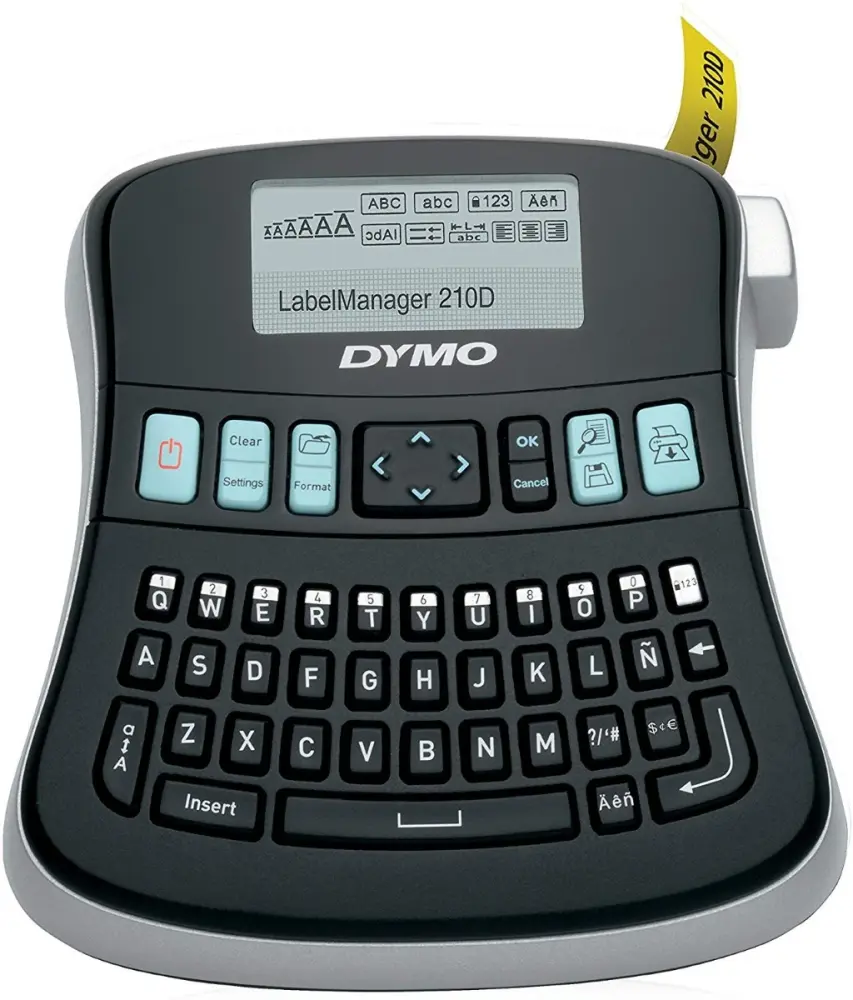
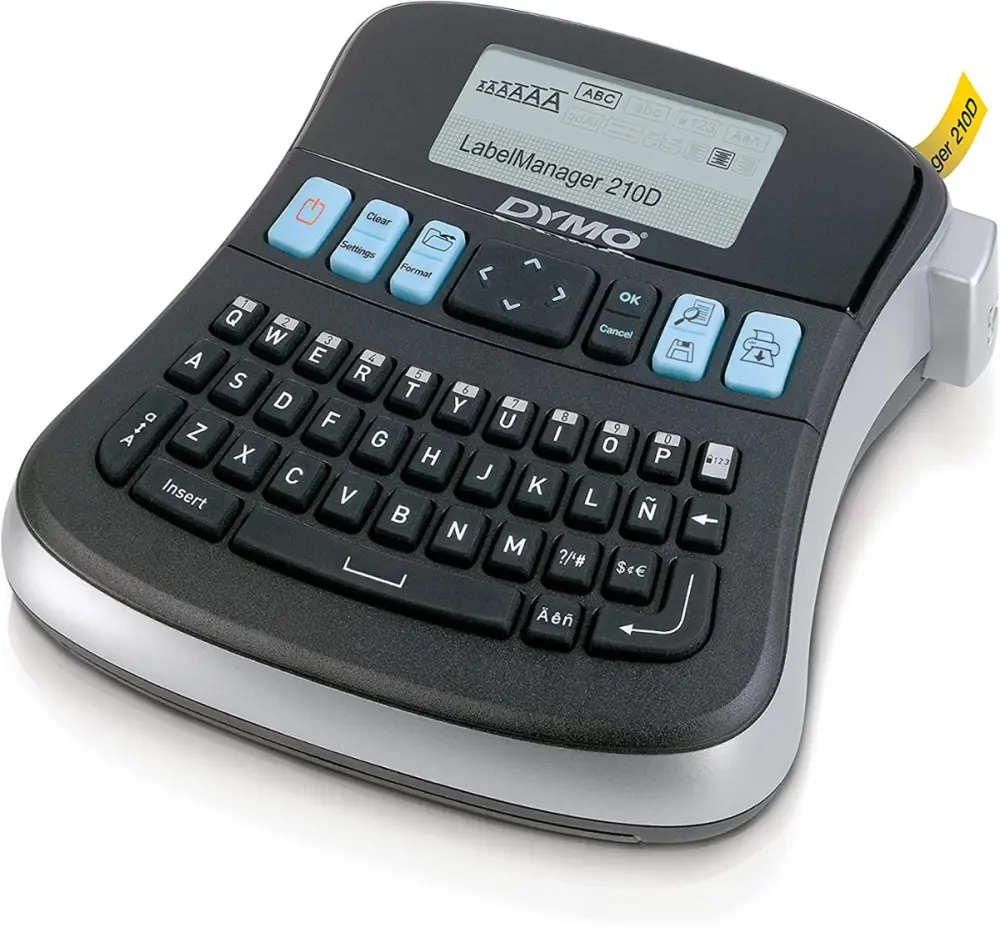
- Computer-style QWERTY keyboard for fast, natural text entry
- Large graphical display with label preview before printing
- Quick-access buttons for punctuation, currency, and special symbols
- Store up to 9 frequently used labels for quick recall and reprinting
- Print up to 10 copies of a single label design
- Support for 6 font sizes, 7 text styles, and 8 text box options
- Lightweight, compact design suitable for office desks and workstations
The DYMO LabelManager 210D brings professional label-making functionality to the desktop with an intuitive QWERTY keyboard, clear graphical display, and quick-access button interface. Designed for office environments, this label maker streamlines the creation and printing of custom labels for files, storage, workspaces, and organizational systems.
FAQ
What types of labels can the LabelManager 210D create?
The 210D supports adhesive labels, name badges, file labels, and general-purpose labeling applications with various text styles and formatting options.
Is this label maker suitable for high-volume printing?
While designed for office environments, the 210D can handle moderate to moderately high-volume label printing; contact Procure.ae for high-volume requirements or industrial solutions.
Why buy from Procure
Procure.ae supplies office labeling equipment to institutional and corporate procurement departments across the UAE and GCC. Request a quote for competitive pricing, bulk orders, and after-sales support tailored to your organizational needs.
Specs
Specifications
- Type
- Desktop Label Maker
- Keyboard
- QWERTY Style
- Display
- Graphical LCD Display (2 Lines)
- Label Storage
- Up to 9 Labels
- Print Copies
- Up to 10 per label
- Font Sizes
- 6 Available
- Text Styles
- 7 Available
- Dimensions
- 6.1 × 6.5 × 2.5 inches
- Weight
- 0.66 kg
- Color
- Black
- Country of Origin
- United States
- Brand
- Dymo
- Product Type
- Handheld Label Maker
FAQs (11)
Got questions?
11 answers below — or call us on +971 4 546 5041.
How quickly can I create labels once I start using this device?
The LabelManager 210D features a large graphical display and quick-access buttons designed for efficient label creation. The QWERTY keyboard allows fast text entry, ideal for busy office and warehouse environments.
What label sizes can I design with the storage feature?
The device can store up to nine frequently used label formats, allowing you to quickly recall your most common label designs and save time on repetitive labeling tasks.
Is this label maker suitable for warehouse and inventory labeling?
Yes, the 210D's straightforward design with six font sizes and seven text styles makes it ideal for creating shelf labels, bin tags, and inventory identification in warehouse and storage settings.
Can the device handle complex multi-line labels?
The device offers eight text box options, allowing you to organize multiple lines of information on a single label for clear, professional identification of products and equipment.
Is this label maker suitable for office and administrative use?
The LabelManager 210D with its QWERTY keyboard and desktop design is ideal for general office labeling tasks such as file organization, folder identification, and desk equipment marking.
What happens if I need a label format different from my stored nine templates?
You can create new designs from scratch using the graphical display and keyboard controls. If you exceed your nine saved formats, you can overwrite an existing template or create the label fresh each time.
What is the lead time for delivery to our facility in Abu Dhabi?
Procure.ae supplies the UAE and wider GCC region. Please contact the Procure.ae team to request a quote and confirm current delivery times to your location.
Does Procure.ae provide training or setup assistance for the LabelManager 210D?
For setup guidance and technical support, reach out to Procure.ae. The team can advise on initial configuration and best practices for your labeling needs.
What label tape types are compatible with this device?
The DYMO LabelManager 210D is compatible with DYMO standard label tape. For a complete list of compatible tape sizes and colors, contact Procure.ae to confirm options.
Is there a warranty on the device?
For warranty coverage and terms, contact Procure.ae directly with your purchase details.
What is included in the package?
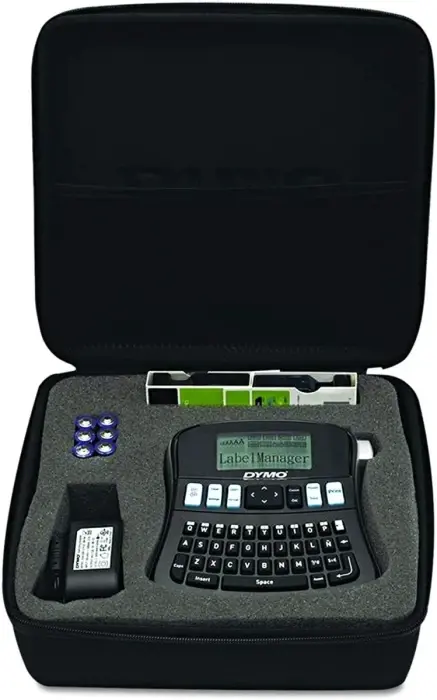
Your purchase includes the DYMO LabelManager 210D device with QWERTY keyboard. For details on included tape rolls and accessories, contact Procure.ae.
Reviews
Customer reviews
Used this product? Tell other buyers what you think.
Sign in to review