 New in
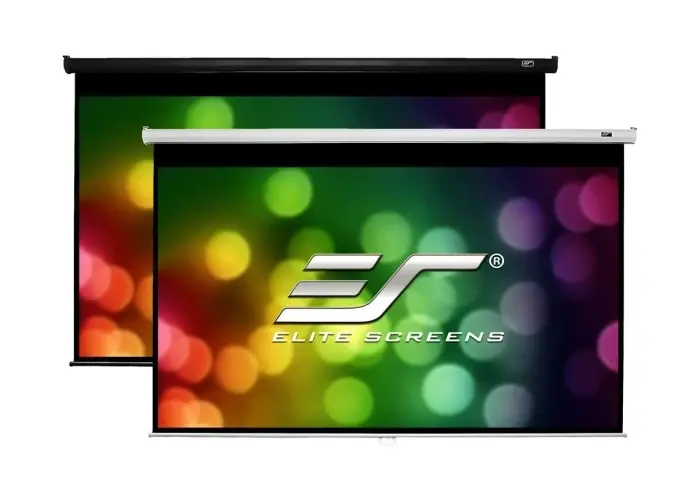
Elite Screens M80NWV 80-Inch 4:3 Manual Pull-Down Projector Screen
- Manual Pull-Down
- 4:3
- Aluminum Alloy
In stock · Usually ships in 1–5 business days*
- Original manufacturer warranty
- Free delivery over AED 2,500
- Installation available
- Returns for manufacturer faults
The lowdown
The lowdown
Key features
- 80-inch diagonal in classic 4:3 aspect ratio — 48 x 64-inch (1.2 x 1.6 m) viewing area
- MaxWhite 2 matte white screen material for uniform brightness and colour accuracy
- Aluminum alloy frame and casing for lightweight, durable construction
- Manual pull-down operation — no electricity required
- Spring auto-return for smooth, consistent retraction
- Housing dimensions: 178.6 x 147.6 x 6.9 cm
- Suitable for classrooms, boardrooms, and training environments
The Elite Screens M80NWV is an 80-inch diagonal, 4:3 aspect ratio manual pull-down projection screen designed for classrooms, boardrooms, and training rooms that present standard-format or legacy content. Its MaxWhite 2 matte white surface ensures accurate colour reproduction and even light distribution across a 48 x 64-inch viewing area, while the aluminum alloy casing provides structural durability. With purely manual operation requiring no electricity, the M80NWV is a practical, easy-to-install projection solution for UAE and GCC institutions.
FAQ
Is the 4:3 format still relevant for modern projectors?
Yes. Many business and education projectors support 4:3 natively, and existing slide libraries, older training materials, and document-based presentations display best on a 4:3 screen such as the M80NWV.
How is this screen mounted?
The M80NWV mounts to a wall or ceiling using integrated brackets. It unrolls downward when pulled and retracts automatically when released.
What is the active viewing area?
The active viewing area is 48 x 64 inch (1.2 x 1.6 m), giving an 80-inch diagonal in standard 4:3 format.
Why buy from Procure
Procure.ae is the GCC region's trusted source for professional AV equipment, offering genuine Elite Screens products with UAE-wide delivery and institutional procurement support. The M80NWV is available for single-unit or bulk purchase, with volume pricing for schools and government entities. Request a quote from our team today.
Specs
Specifications
- Screen Size (Diagonal)
- 80 inch
- Screen Size (W x H)
- 48 x 64 inch (1.2 x 1.6 m)
- Aspect Ratio
- 4:3
- Screen Type
- Manual Pull-Down
- Frame Material
- Aluminum Alloy
- Screen Material
- MaxWhite 2
- Weight
- 3.1 kg
- Casing Dimensions
- 178.6 x 147.6 x 6.9 cm
- Color
- Black
- Country of Origin
- United States
- Brand
- Elite Screens
- Product Type
- Manual Projector Screen
- Dimensions
- 70.3 x 58.1 x 2.7" (178.6 x 147.6 x 6.9 cm)
FAQs (11)
Got questions?
11 answers below — or call us on +971 4 546 5041.
Is this 80-inch 4:3 screen suitable for displaying older training materials or legacy content?
Absolutely—the 4:3 aspect ratio is ideal for legacy content, classic presentations, and older educational materials that were created for standard formats. No black bars will appear, maximizing the screen area.
What is the viewing experience for an 80-inch screen in a typical classroom or boardroom?
The 80-inch diagonal with 160-degree viewing angle ensures students or colleagues across the room see content clearly without distortion. The MaxWhite 2 matte surface maintains brightness uniformity regardless of viewing position.
Can I use this 4:3 screen for modern presentations as well as legacy content?
Yes, you can display any content type on it; modern 16:9 presentations will show black bars on the sides, which is acceptable if legacy content is your primary focus. The image quality remains sharp.
What projector brightness do I need for this 80-inch 4:3 screen?
A mid-range educational or business projector (3000–5000 lumens) works well with this screen. The MaxWhite 2 material with 1.1 gain brightens the image, so mid-range brightness is sufficient for typical classrooms.
Does this manual screen require any electricity or special wiring?
No—the M80NWV operates entirely without power. Simply pull the bottom bar to deploy the screen and release to retract; there are no motors or batteries to maintain.
What maintenance is needed for an 80-inch screen in a classroom or boardroom?
Dust the MaxWhite 2 surface regularly with a soft, dry microfiber cloth to maintain brightness. Check the aluminum alloy frame for stability and wipe it occasionally to keep it clean.
What are the delivery options and timeline for this screen across the UAE and GCC?
Procure.ae delivers across the UAE and wider GCC on a request-a-quote basis. Contact the team to confirm availability and delivery timeline for your location.
Can Procure.ae assist with mounting this screen in my classroom or meeting space?
Yes, installation support is available through Procure.ae. Discuss your wall or ceiling mounting requirements and room specifications with the team.
What are the specifications of the M80NWV?
It is an 80-inch 4:3 manual pull-down screen with MaxWhite 2 matte white material, 1.1 gain, aluminum alloy frame, and 160-degree viewing angle—ideal for legacy content and older educational materials.
What mounting hardware and accessories are included with this screen?
Contact Procure.ae to confirm all brackets, fasteners, and installation guides included with your purchase.
Does Elite Screens provide a warranty on the M80NWV?
Yes, Elite Screens includes manufacturer warranty coverage; ask Procure.ae for specific warranty terms, duration, and regional support details.
Reviews
Customer reviews
Used this product? Tell other buyers what you think.
Sign in to review