 New in
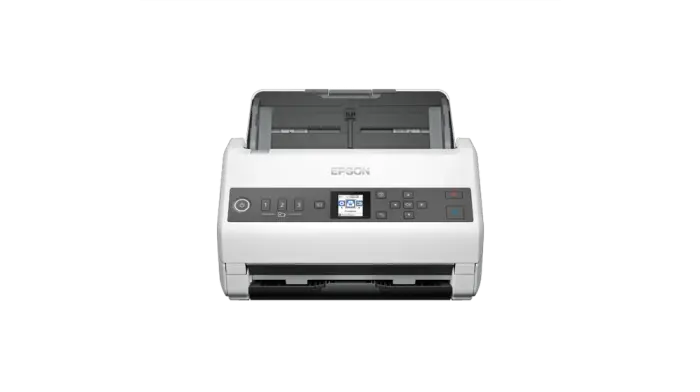
Epson WorkForce DS-730N Color Duplex Document Scanner
- 600 DPI
- 4000
In stock · Usually ships in 1–5 business days*
- Original manufacturer warranty
- Free delivery over AED 2,500
- Installation available
- Returns for manufacturer faults
The lowdown
The lowdown
Key features
- High-speed document scanning at 40 pages per minute
- 600 DPI resolution for professional output quality
Connect your business with this affordable and highly efficient standalone network scanner. It's the intelligent choice for business document management, offering the ability to scan to separate locations – at the touch of a button, allowing you to capture, convert and distribute scanned information within your organisation. Standalone network scanning Release the potential of a connected workpla.
FAQ
What is the scan speed?
The Epson DS-730N scans at 40 ppm with duplex capability.
How do I request a quote?
Use the Request a Quote button on this page or contact Procure.ae. We serve institutional buyers across the UAE and GCC.
Why buy from Procure
Procure.ae specializes in bulk procurement of office equipment for institutional and corporate buyers across the UAE and GCC. We provide competitive volume pricing, fast delivery, and dedicated technical support. Request a quote today.
Specs
Specifications
- Pages Per Minute
- 40 ppm (80ipm) & 4,500 pages per day
- Scan Speed (PPM)
- 31-40
- Max. Optical Resolution
- 600 DPI x 600 DPI (Horizontal x Vertical)
- Max. Scan Size
- 215.9 mm x 6,096 mm (Horizontal x Vertical)
- Weight
- 3.6
- Dimensions (WxDxH)
- 296 x 169 x 167 mm (Width x Depth x Height)
- Color
- White
- Brand
- Epson
- Product Type
- Document Scanner
- Country of Origin
- Japan
- LCD Display
- Yes
- Two-Sided (Duplex)
- Yes
- Daily Duty Cycle
- 4000
FAQs (11)
Got questions?
11 answers below — or call us on +971 4 546 5041.
What volume of documents can the DS-730N handle per day?
At 40 pages per minute with duplex scanning, the DS-730N processes 4,800+ single-sided pages daily, fitting medium-volume institutional scanning workflows.
Is this scanner suitable for document archival projects?
The colour duplex capability and intelligent image processing make the DS-730N a solid choice for digitizing paper records, contracts, and historical documents in offices and archives.
Can the DS-730N manage varying document conditions?
Professional image processing helps the scanner handle aged, marked, or stained documents common in archival and corporate digitization projects.
Who would choose the DS-730N over slower alternatives?
Institutions with daily scanning demands—local government, school administration, insurance brokers, and service businesses—benefit from the balance of speed and reliability.
Does duplex scanning reduce staff fatigue in busy departments?
Yes; scanning both sides in one pass significantly reduces manual page handling and fatigue compared to feeding sheets individually.
How does the DS-730N handle mixed-paper workflows?
The scanner supports institutional document workflows, processing standard office paper, forms, and reports continuously without frequent adjustments.
How long does it typically take to receive the DS-730N in the GCC?
Lead times vary by location and current availability. Reach out to Procure.ae to confirm delivery schedule and installation options for your site.
Is installation included when purchasing from Procure.ae?
Discuss installation support and setup requirements with the Procure.ae team when requesting a quote for your facility.
What is the scanning speed of the DS-730N?
The scanner captures documents at 40 pages per minute with duplex scanning for efficient colour digitization.
Does this scanner output colour images?
Yes, the DS-730N is a colour duplex scanner with intelligent image processing for high-quality document capture.
What training or documentation comes with the DS-730N?
Contact Procure.ae for details on user documentation, training resources, and technical support included with your purchase.
Reviews
Customer reviews
Used this product? Tell other buyers what you think.
Sign in to review