 New in
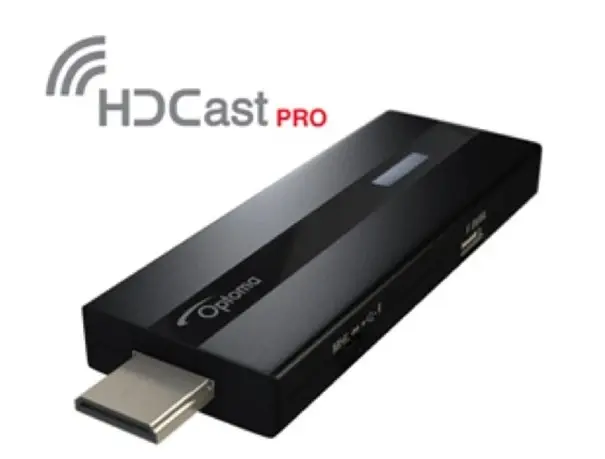
Optoma HDCast Pro Wireless HDMI Streaming Adapter
In stock · Usually ships in 1–5 business days*
- Original manufacturer warranty
- Free delivery over AED 2,500
- Installation available
- Returns for manufacturer faults
The lowdown
The lowdown
Key features
- Wireless streaming from laptops and mobile devices
- Shares video, music, pictures, and documents in Full HD 1080p
- Compatible with AirPlay, Miracast, and DLNA standards
- Simple HDMI connection turns any supported projector into a smart projector
- Removes the need for cables during meetings or presentations
The Optoma HDCast Pro is a compact wireless streaming adapter that connects to a projector's HDMI port and turns it into a smart, network-connected display. It lets presenters and viewers share content directly from a laptop or mobile device without cables.
FAQ
What devices can connect to the HDCast Pro?
Laptops and mobile devices that support AirPlay, Miracast, or DLNA can stream content to it wirelessly.
What is the maximum streaming resolution?
It supports Full HD 1080p video, music, photo, and document streaming.
Why buy from Procure
Procure.ae supplies the Optoma HDCast Pro to offices, schools, and meeting rooms across the UAE and GCC, with regional delivery and support for bulk and institutional procurement. Request a quote to equip multiple rooms with wireless presentation.
Specs
Specifications
- Color
- Black
- Weight
- 0.01 kg
- Supported Resolution
- Full HD 1080p
- Wireless Standards
- AirPlay, Miracast, DLNA
- Brand
- Optoma
- Product Type
- Wireless Presentation Adapter
FAQs (11)
Got questions?
11 answers below — or call us on +971 4 546 5041.
How does the HDCast Pro improve meetings and presentations in the office?
The HDCast Pro turns any compatible projector into a wireless presentation system, allowing multiple laptops, tablets, and phones to share content via AirPlay, Miracast, or DLNA without cable swapping.
Which devices can connect to the HDCast Pro?
The HDCast Pro supports AirPlay (Apple devices), Miracast (Windows and Android), and DLNA (networked devices), making it compatible with most modern laptops, tablets, and smartphones.
What video quality does the HDCast Pro deliver?
The HDCast Pro streams Full HD (1080p) video, music, photos, and documents wirelessly, ideal for presentations and collaborative sessions.
Can multiple people present in sequence using the HDCast Pro?
Yes, the HDCast Pro allows multiple presenters to wirelessly share content in turn without unplugging cables, speeding up transitions in meetings and training sessions.
Is the HDCast Pro compatible with older Optoma projectors?
The HDCast Pro is engineered for compatible Optoma projectors. Contact Procure.ae to verify if your specific projector model supports the adapter.
What networking setup is required for the HDCast Pro?
The HDCast Pro connects to the same WiFi network as your presentation devices. A stable office WiFi connection ensures smooth, uninterrupted wireless streaming.
How quickly can Procure.ae deliver the HDCast Pro adapter to an office in Dubai?
Procure.ae supplies wireless adapters across the UAE with competitive lead times. Request a quote for availability and delivery scheduling.
Does Procure.ae offer setup support for wireless integration with existing projectors?
Procure.ae can coordinate delivery and discuss setup assistance for your existing projector infrastructure. Contact the team to outline your network requirements.
What is included with the HDCast Pro purchase?
The HDCast Pro wireless adapter includes the necessary connectivity hardware and power supply. Contact Procure.ae to confirm all included accessories and cables.
What wireless protocols does the HDCast Pro support?
The HDCast Pro supports AirPlay, Miracast, and DLNA protocols, covering the majority of modern computing and mobile platforms.
Is there a warranty on the HDCast Pro?
Contact Procure.ae to review warranty coverage, technical support, and replacement options for the HDCast Pro adapter.
Reviews
Customer reviews
Used this product? Tell other buyers what you think.
Sign in to review